


Spider Solitaire - Card Games
4.84.59K Reviews
App Specs
- Version
- 3.1.0
- Updated On
- License
- Free
- Downloads
- 5,000,000+
- Developer
- Bluetile
- Categories
- Card
- Platform
- Android, iOS
Screenshots

 Analysis by AppCompare
If you want a familiar card game that can fit into a short pause, Spider Solitaire is an easy one to understand and return to. I find its appeal less about flashy extras and more about the small decisions in each layout: which sequence to uncover, when to use an empty column, and whether a tempting move will leave the board harder to manage. That makes it a relaxed choice when I want something absorbing without committing to a long session.
Spider Solitaire - Card Games is a free card game from Playvalve, and its everyday appeal is straightforward: it brings Spider Solitaire to a phone in a format that suits a quick break as well as a longer attempt at clearing the board. The game is rated Everyone, has an average rating of 4.8 from around 158,000 ratings, and has passed 5 million installs. Those figures suggest a broad audience, but they do not tell you whether its particular pace or presentation will suit you; the details of how you like to play matter more.
Playing at your own pace
I like to treat a Spider Solitaire session as a small puzzle rather than something I need to finish in one sitting. If I’m interrupted, I can pause and return when I have another quiet moment; the useful habit is to remember which column I was trying to free, not simply chase the next available move. That steady approach also makes it easier to notice when a deal is becoming more frustrating than enjoyable.
What the purchase details mean in practice
The game is free to install, with in-app purchases listed from $2.49 to $22.99 per item. That gives you useful context before you begin, but I would not treat the existence of purchases as a reason to assume that spending is required to enjoy a round. Equally, I would not make a claim about what an individual purchase changes without knowing its exact contents. If you prefer to keep games free of spending, check the purchase prompts carefully and make sure your device’s purchase controls fit your comfort level.
For me, the sensible approach is to start with the free game and decide whether I actually want anything more. Spider Solitaire’s central pleasure is working through the cards, so a purchase is not automatically part of that appeal. The listed range is also a reminder to pause before confirming anything: a low starting price does not tell you which item you are considering, while the upper end is substantial enough that I would want to read the in-app details first.
Progress without turning every deal into pressure
Spider Solitaire rewards patience more than speed. A move can look useful because it builds a sequence, yet still make it harder to expose a hidden card or use a free column later. I try to think one or two moves ahead, especially before dealing another row. That simple habit makes the game feel more like a series of small choices than a race to clear the screen.
When I am learning, hints and undo can make a deal less punishing. I use a hint to understand what move the game is pointing toward, then consider why it helps instead of tapping through automatically. Undo is best treated as a way to inspect a consequence: if a move blocks a useful sequence, stepping back shows what changed. Used that way, these tools can support learning rather than remove all the thinking.
Worth Reading Before You Choose

EA SPORTS FC Mobile 26 Is a Bigger Football Game, but It Takes Time

Flipboard Shows What News Apps Must Do Beyond the Feed

Switching to Android Auto Means Rethinking Your Driving Routine

Google Calendar Makes a Crowded Week Easier to Manage

Ludo King Makes the Most of the Minutes Between Plans

Baby Panda World Brings Quick Play to Modern Phones, but Its Game Library Feels Busy
A practical routine is to uncover cards and create useful space before dealing again whenever the layout allows it. An empty column is valuable because it gives you somewhere to move a sequence temporarily, but filling it without a plan can take away that flexibility. When several cards are exposed, I look for moves that reveal something new before making a move that only rearranges already visible cards. It is not a guaranteed route to a win, but it helps me avoid treating every available move as equally good.
Fairness, challenge, and the right alternative
Spider Solitaire is a solo puzzle, so I do not judge it by the same standard as a head-to-head card game. There is no opponent to outplay in the usual sense; the challenge is managing the layout you are given. The listed purchase range alone does not establish whether purchases affect game outcomes or provide any competitive advantage, so I would not describe the game as pay-to-win or promise that spending changes nothing. If fairness is your deciding concern, focus on the actual purchase description shown before you buy.
Compared with simpler solitaire games, Spider asks you to manage longer sequences and plan around columns, which can make a deal feel more demanding. If you want a very light game with fewer moving parts, a basic solitaire variation may be a better fit. If you want competition against other people, a multiplayer card game is the more natural choice. I come back to Spider when I want a quiet puzzle that lets me set my own pace, not when I am looking for social play or a rapid-fire score chase.
Who will enjoy it, and what to check first
The game suits people who already know Spider Solitaire, anyone who wants a familiar card puzzle on a phone, and newcomers willing to learn by trying moves and using undo thoughtfully. It is also a good match for short waits: I can play a few turns while waiting for a friend, stop when they arrive, and pick up the same kind of puzzle whenever I have another quiet moment. The dated feeling of a classic card game is part of its comfort, rather than a drawback, if that is what you want.
It is less suitable if you need a highly competitive experience, dislike pausing to plan, or prefer games built around a changing story or action. A further trade-off is that hints can make progress easier while also reducing the satisfaction of solving a difficult arrangement unaided. I would begin without relying on them, then use one only when I am genuinely stuck. That keeps the puzzle personal while still leaving a way out of a frustrating dead end.
The game was released on January 24, 2023, and its current version is 2.5.3. Its minimum OS requirement is Android 7.0. Before downloading, I would check that the device meets that requirement and that the store page for my platform matches the version and purchase details I expect. Those are practical checks, especially if I am setting it up on an older phone or helping someone else install it.
Some questions are best answered by checking the purchase screen and device store directly: what a particular paid item includes, whether a purchase is optional for the way you want to play, and what applies to your platform. I would not infer those specifics from the price range alone. The age rating is Everyone, but that does not tell me whether the game’s style will suit every player; a child or adult who dislikes card puzzles may still find it uninteresting.
My trust verdict is measured but positive. The known purchase range is clear enough to make me pause and inspect an item before paying, while the core appeal remains the familiar solo card challenge. I would try the free version first, avoid buying anything just because it appears in a prompt, and decide based on whether I enjoy the pace. For a player who wants a thoughtful, self-paced card game rather than competition or spectacle, that is a fair way to approach it.
Getting Started with Spider Solitaire
First off, downloading Spider Solitaire - Card Games was a breeze. It's available for both Android and iOS, so no worries about compatibility. Once installed, the app’s interface is clean and intuitive. Seriously, no need for a user guide here; it's as straightforward as it gets. You’re greeted with a simple dashboard that lets you dive right into the game or tweak settings to your liking.
Gameplay Experience
Now, let's talk about the gameplay. The app stays true to the original Spider Solitaire, offering the same addictive challenge of creating card sequences. You can choose from one, two, or four suit modes—perfect for both beginners and seasoned card sharks. The drag-and-drop functionality is smooth, and the auto-complete option is a lifesaver for those moments when you’re almost done but just can't be bothered to finish manually.
One thing I particularly enjoyed was the hint and undo features. They’re super helpful when you’re stuck or if you make a move you regret. And let's not forget the daily challenges! These add a fun twist to the classic game, keeping things fresh and engaging.
Visuals and Sound
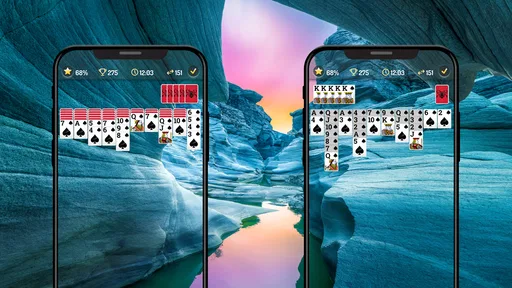
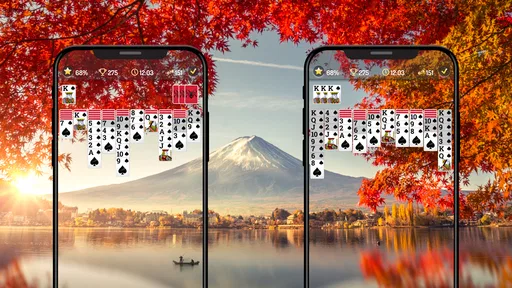
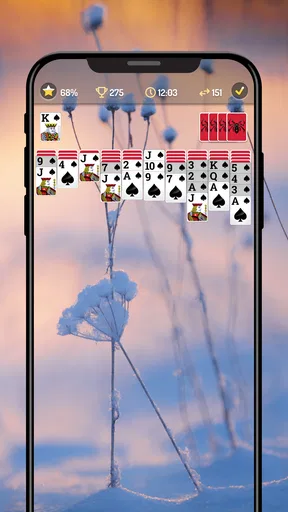
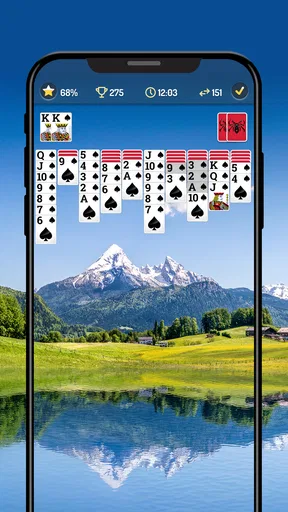
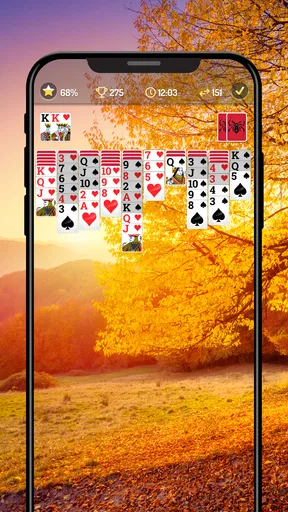
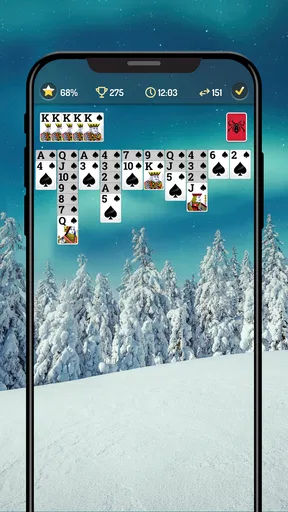
The graphics are simple yet pleasing, with customizable backgrounds and card designs. You can really make the game your own, which adds a personal touch. On the sound front, the app offers a peaceful, unobtrusive soundtrack that enhances the gaming experience without being distracting. However, if you're not a fan of in-game music, there's always the option to mute it.
Why You'll Love It
What makes Spider Solitaire - Card Games a standout is its balance between nostalgia and modern enhancements. It’s got all the charm of the classic game but with the added convenience of being able to play anytime, anywhere on your mobile device. Plus, the app is lightweight, so it won't hog your phone's resources.
Spider Solitaire - Card Games is perfect for those moments when you need a quick break or want to unwind. Whether you're waiting for a friend or just chilling at home, it’s a great way to pass the time. And who knows, you might even find yourself getting hooked just like I did.
So, if you're in the mood for some card game nostalgia with a modern twist, give Spider Solitaire - Card Games a try. Trust me, you won't regret it!
Pros
- Smooth and intuitive interface.
- Customizable card decks and backgrounds.
- Offline play available.
- Daily challenges and rewards.
- Minimal ads for free users.
Cons
- Limited multiplayer options.
- Occasional slow loading times.
- No landscape mode support.
- In-app purchases can be pricey.
- Lacks tutorial for beginners.
FAQs for Spider Solitaire - Card Games
What features does Spider Solitaire - Card Games offer?
Spider Solitaire - Card Games provides a classic card game experience with modern twists. It includes multiple difficulty levels, customizable themes, and daily challenges. The app also offers an intuitive user interface, hints, and undo options, making it accessible for both beginners and experienced players.
Is Spider Solitaire - Card Games available offline?
Yes, Spider Solitaire - Card Games can be played offline. This feature is perfect for users who want to enjoy the game without an internet connection, such as during travel or in areas with limited connectivity. However, some features like daily challenges may require an internet connection.
Are there any in-app purchases in Spider Solitaire - Card Games?
While Spider Solitaire - Card Games is free to download and play, it does offer in-app purchases. These can include additional themes, hints, or ad-free experiences. Users can enjoy the core gameplay without spending money but can enhance their experience with optional purchases.
How does Spider Solitaire - Card Games handle ads?
The app includes ads to support its free version. Ads may appear between games or when accessing certain features. Users who prefer an ad-free experience can opt for an in-app purchase to remove ads, allowing for uninterrupted gameplay and a cleaner interface.
Is Spider Solitaire - Card Games suitable for all ages?
Spider Solitaire - Card Games is designed for a wide audience and is suitable for players of all ages. It's a great way to improve concentration and strategic thinking. However, parents should be aware of in-app purchases and supervise younger children to ensure they play safely.


